Start with what’s in front of you.
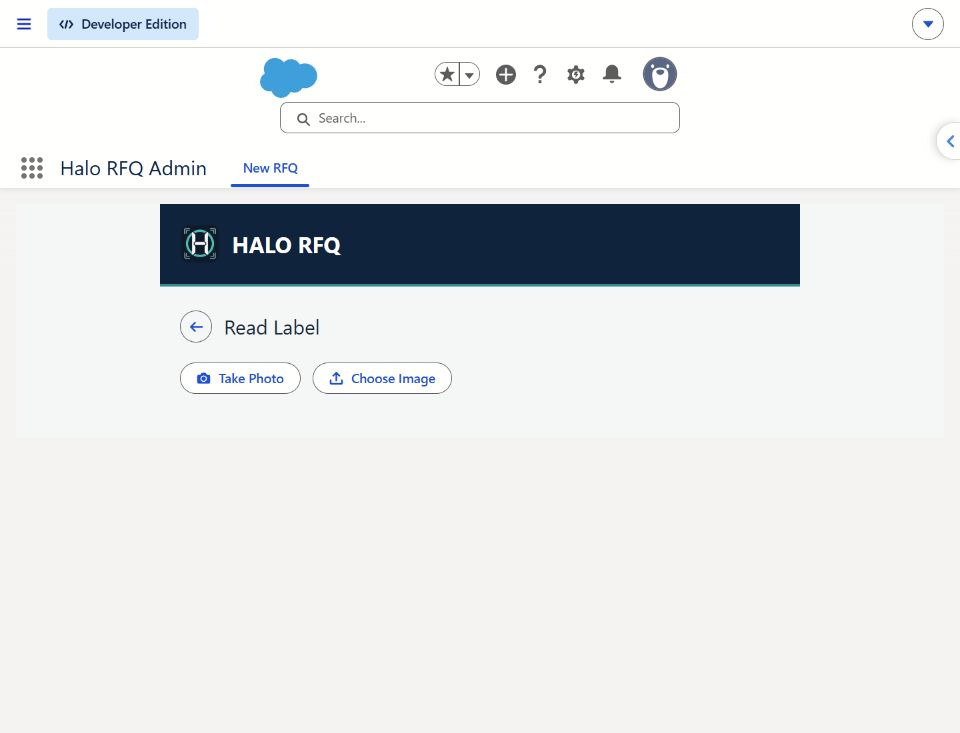
Type a known identifier, take a QR snapshot or check a label-photo suggestion.
 Enlarge actual screenshot ↗
Actual entry controls. No label image was uploaded in this capture.
Try the capture methods →Bring the identifier, request details and distributor context into one human review conversation.
Explore standalone capture or a Salesforce-native handoff. Scope and acceptance differ by track.
 Enlarge actual screenshot ↗
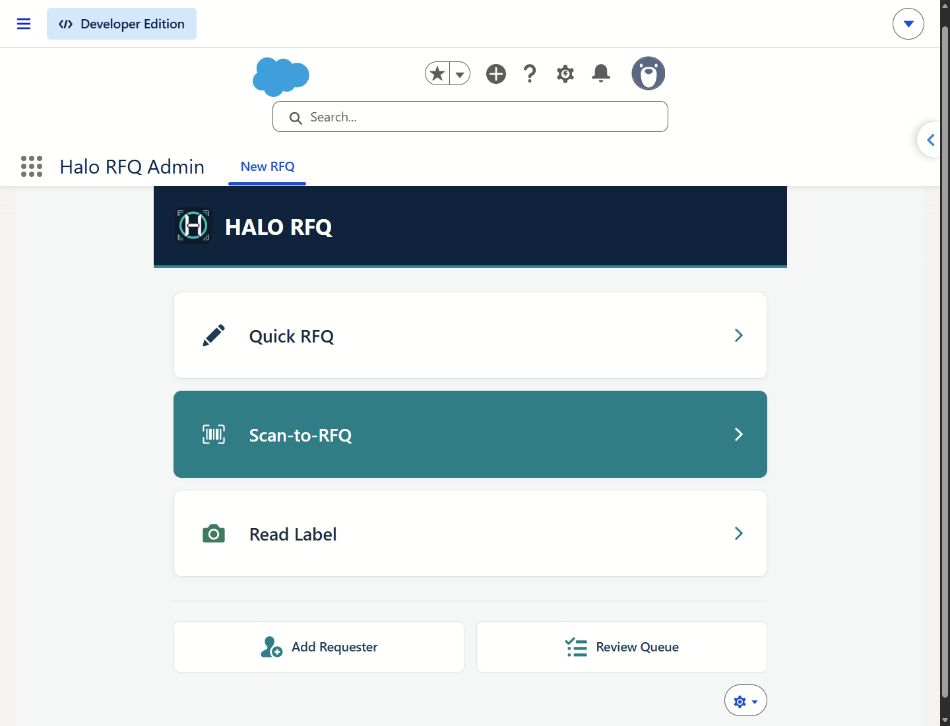
Type a known identifier, take a QR snapshot or check a label-photo suggestion.
Enlarge actual screenshot ↗Actual entry controls. No label image was uploaded in this capture.
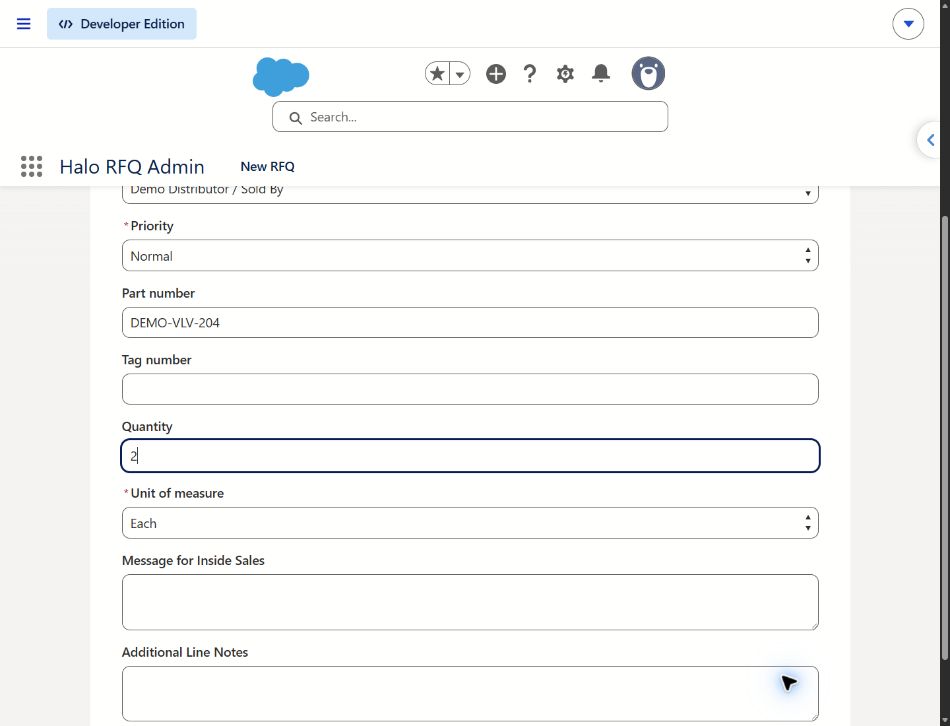
Try the capture methods →Quantity, notes and relationship context give the reviewer a clearer starting point.
 Enlarge actual screenshot ↗
Actual form with fictional, unsaved values. Distributor context is illustrated below.
See the relationship handoff →Check suitability, distributor ownership and missing information before follow-up.
Recreated review illustration · Fictional data · No record or routing executed.
Try the reviewer perspective →The context-and-review handoff illustrates Salesforce-native scope. Compare current implementation evidence.
Distributor / Sold By context remains visible for a person to check before commercial follow-up. An unknown relationship stays an open question.

“Two valve assemblies for training line 03.”
Fictional requestExample Industrial Supply
Existing distributor relationship
Check ownership, missing details and suitability.
Human decision requiredIllustrated Salesforce-native handoff; no live routing or notification. Standalone parity is not implied.
Follow the request in the demo →The request should carry its context beyond the phone. Halo RFQ’s email designs give the requester, distributor and representative a message shaped around their role in the handoff.
 Halo RFQ
A branded message keeps the reference and captured details together.
A proposed short alert linking to the request. Provider, consent and delivery acceptance remain future work.
Illustrative concept only. SMS sending is not implemented or demonstrated.Requester, distributor and rep email versions have documented demo-inbox receipt. That evidence does not establish production delivery or acceptance across external organizations.
Account verification, password reset, RFQ confirmation, team notification and status-update previews exist. Live authentication and delivery acceptance remain pending.
A future option requiring provider selection, consent, sender registration, opt-out controls and delivery acceptance. No SMS is sent by this site or demo.
For a pilot, agree on brand treatment, sender identity, recipients, message content and channel scope. Customer-specific branding and live delivery need implementation and acceptance review. Discuss implementation →
Captured directly from the deployed development app on October 16, 2026. Larger previews focus on the app itself. Open any screenshot for the complete original, including Salesforce navigation.
Enlarge screenshot ↗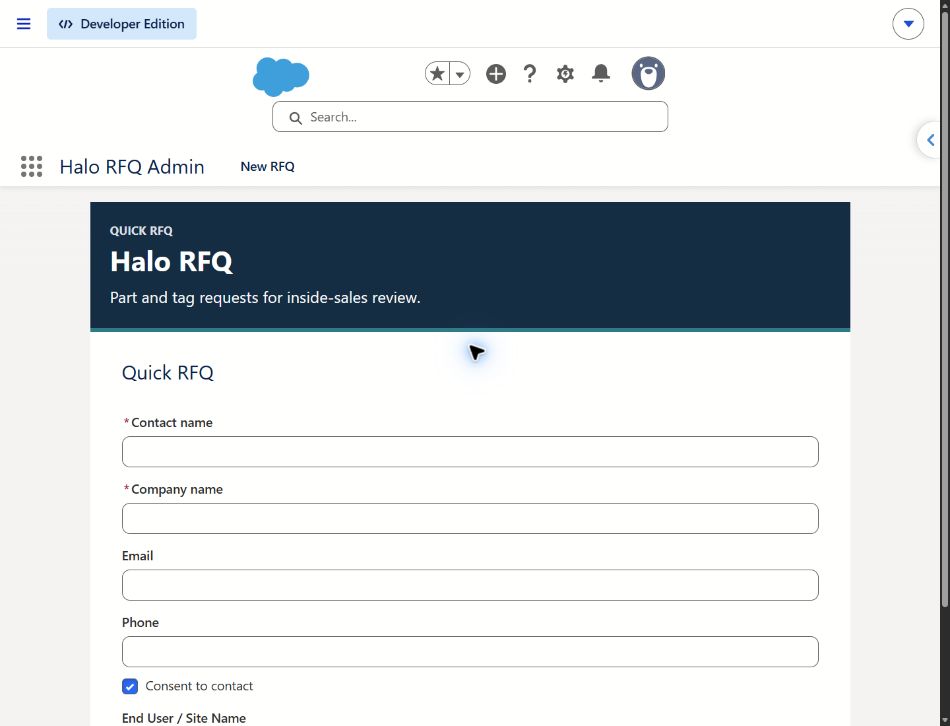 Enlarge screenshot ↗Enlarge screenshot ↗
These images show the Salesforce-native admin experience. They do not establish standalone feature parity, OCR accuracy, production readiness or live email delivery. The interactive walkthrough remains a separately labeled synthetic illustration.
Two implementation tracks to evaluate with your team. The website demonstrates the journey; it does not establish that every feature is available in both tracks.
Start by evaluating part and request capture outside Salesforce.
No live Salesforce connection. The distributor-context and internal-review journey shown in the demo is not implemented standalone parity.
Evaluate request context and human review within Salesforce.
Licensing, configuration, catalog behavior and end-to-end acceptance need validation. Successful matching must not be assumed.
Standalone email: live authentication and delivery acceptance pending. SMS: planned. Connectors: proposed future scope. Managed packaging and AppExchange approval are not established.
Compare notification status →“Verified” means bounded implementation evidence, not production certification. The synthetic website interactions remain separately demonstrated.
Known-part capture, quantity and notes; requester-scoped saved requests, search and receipts. Local QR image/camera decoding and OCR suggestions require explicit user application; phone acceptance is recorded.
Standalone has no live Salesforce connection. Distributor-context handoff and reviewer actions shown in this website are illustrative, not implemented standalone features.
Separate Quick RFQ, request-line, distributor-context and internal review components exist, including assignment/status controls and permission boundaries.
Subscriber configuration, license fit, catalog behavior and current end-to-end pilot acceptance require validation. A prior controlled matching issue means successful matching must not be assumed.
Editable synthetic capture → distributor context → request review → demo receipt → internal review recreation.
Browser memory only. No request record, email, routing, camera access, authentication or backend execution.
Standalone HTML/plain-text previews and owner-run local authentication and delivery test tools exist.
ST-67 live authentication and delivery acceptance remain pending. A preview is not proof of delivery.
Optional ERP, PIM, PLM, Sales Cloud, Service Cloud, Field Service and Manufacturing Cloud adapters are future scope.
No connector is represented as active here. Managed packaging and AppExchange listing/approval are not established.
A synthetic walkthrough today. A scoped pilot conversation next.