Interactive product walkthroughOne request.
One request.
The relationship stays with it.
Choose Quick RFQ, Scan-to-RFQ or Read Label. Capture a fictional identifier, then follow the request into human review.
 Halo RFQDEMO
Recreated walkthrough · Nothing sent. The separate distributor step goes beyond the current requester app. Compare current app scope →
Compare the actual app screen
Actual Salesforce-native desktop capture. This reference is static; the interactive screen above is recreated.
Halo RFQ home
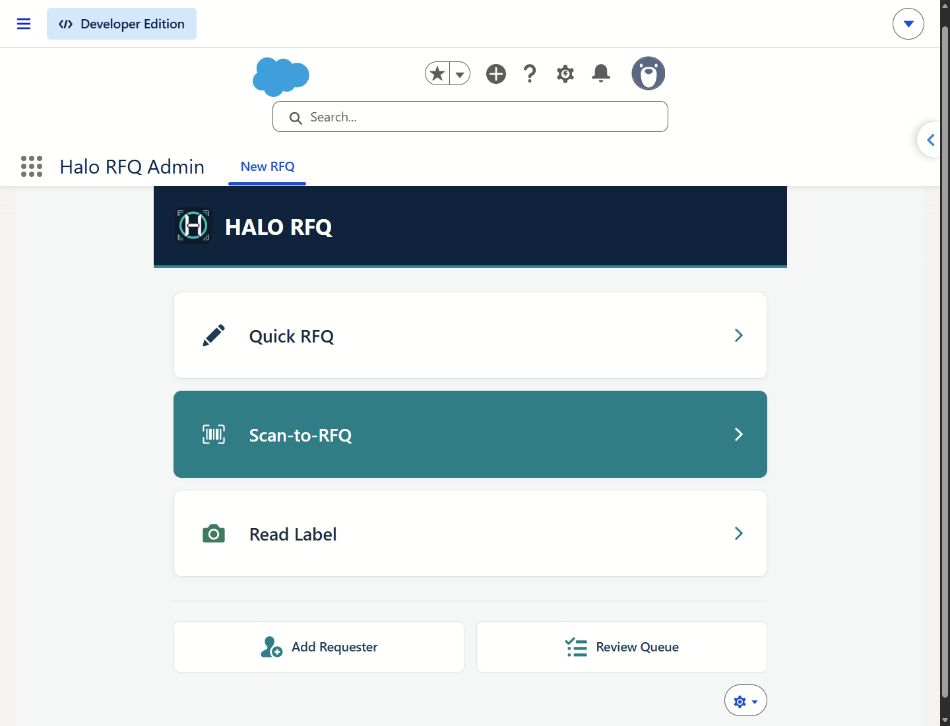 Enlarge screenshot ↗
What does this demo demonstrate?
Editable capture and a synthetic distributor-to-reviewer handoff. Actual screenshots are available inside the reference panel. The separate distributor-context step illustrates a handoff beyond the current restricted-requester flow. The current requester has four stages: Capture, Details, Review and Receipt. Standalone parity and live routing are not established.
Compare typed entry, QR capture and label photos →